Artifacts
Introduction
Artifacts are reusable outputs generated by programs in the Playground. They allow you to reference, inspect, and reuse results such as text, tables, and visualizations across interactions.
When a program returns a supported output type, PromptQL automatically stores it as an artifact. These artifacts can then be linked across steps in a thread, reused in new instructions, or exported for use elsewhere.
Types of artifacts
TextArtifact
Type: "text"
Data shape: string
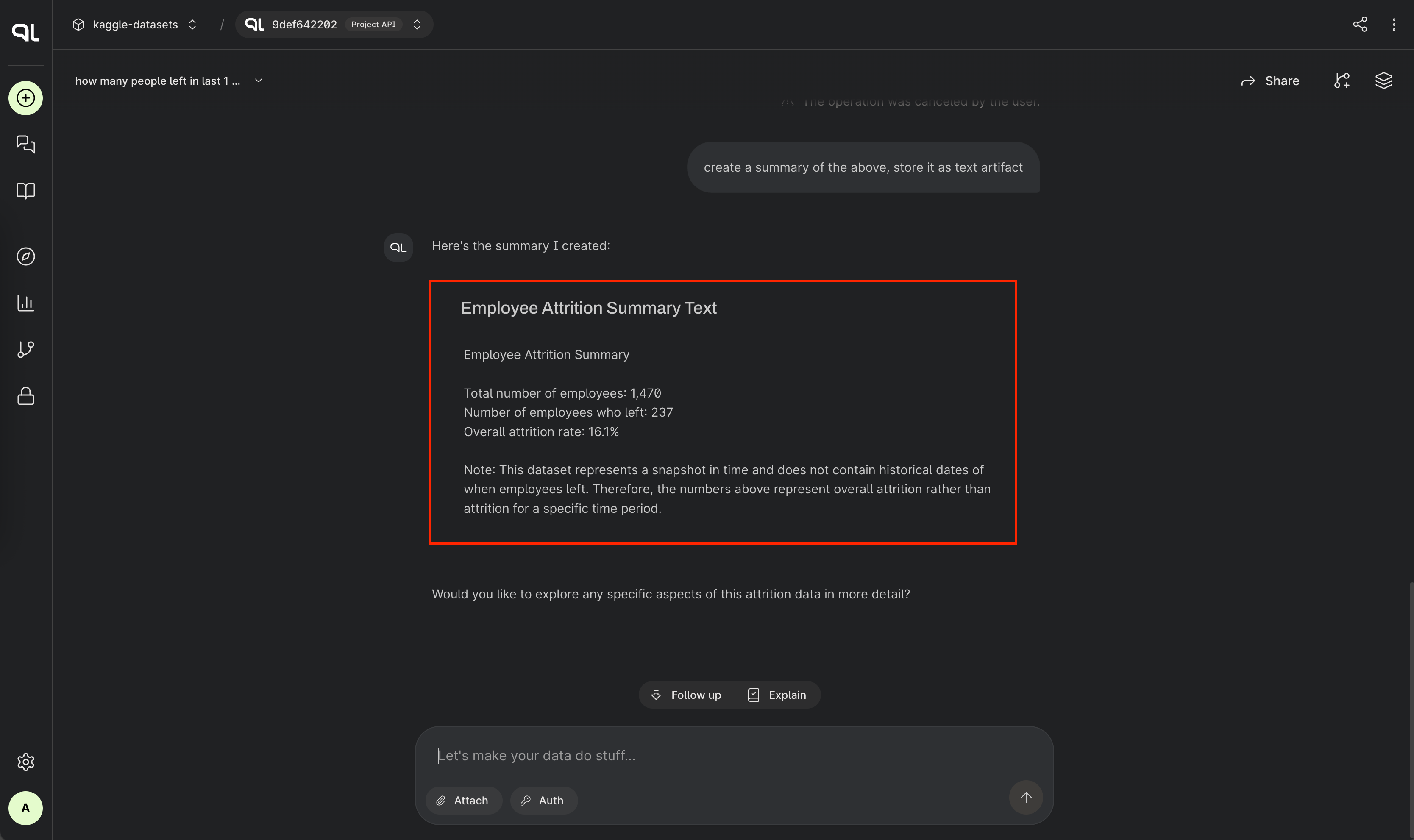
Text artifacts store plain text — like summaries, explanations, or generated responses. They're ideal for lightweight results that don’t require structure or formatting. In the Playground, a short preview is shown to help you quickly identify the content.
For example, if a program returns a single paragraph explaining a dataset, PromptQL will save that result as a
TextArtifact.
TableArtifact
Type: "table"
Data shape: list of objects, where each object represents a row and keys are column names
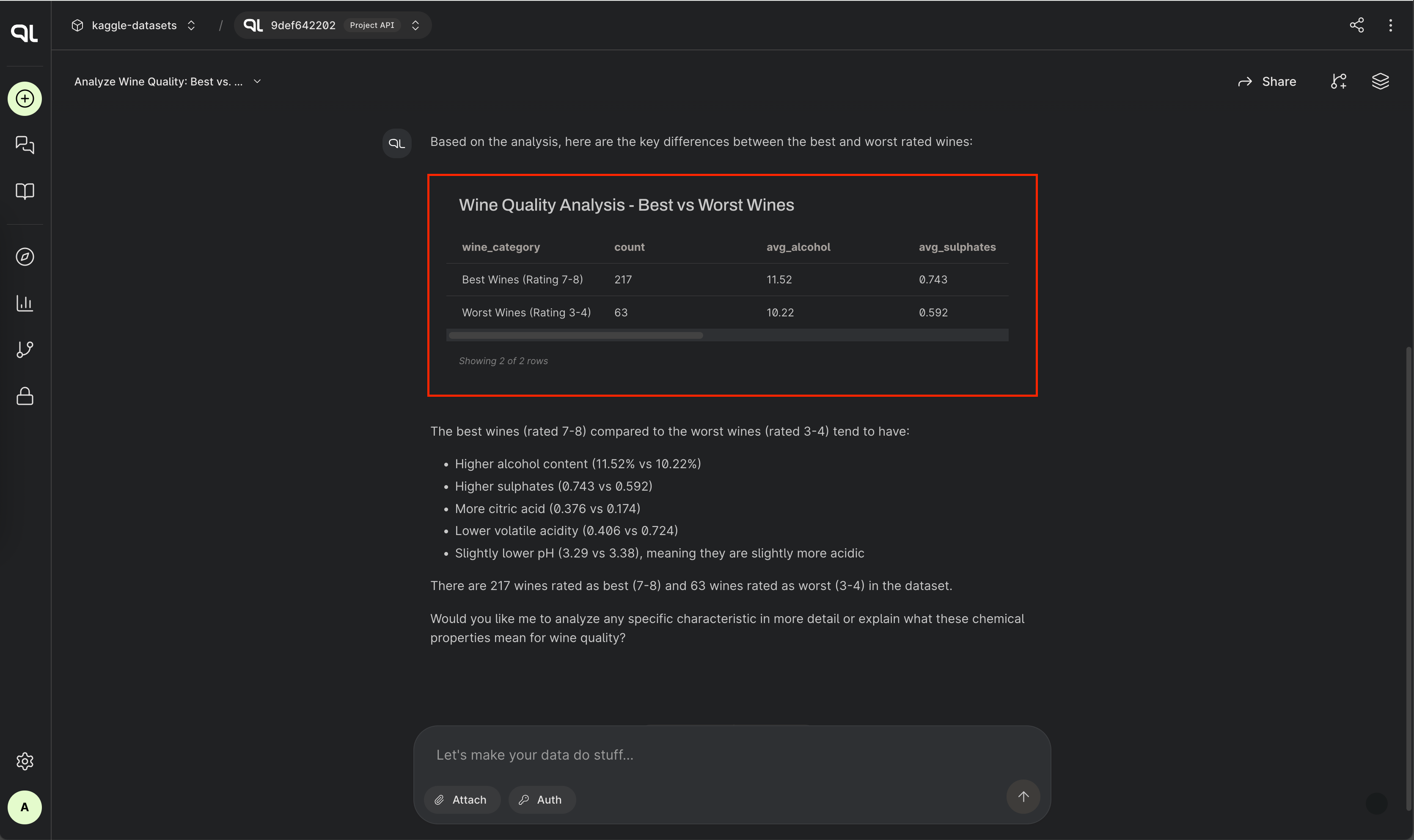
Table artifacts are used for structured data. Whether you're returning a list of users, products, or any tabular output,
the system recognizes it and saves it as a TableArtifact.
In the Playground, you'll see the number of rows and a small sample preview. This is useful for quickly scanning the data before diving deeper or using it as input to a follow-up question.
VisualizationArtifact
Type: "visualization"
Data shape: an object containing:
html: string of rendered visualization markupvisualization_data: the structured data used to create the visualization
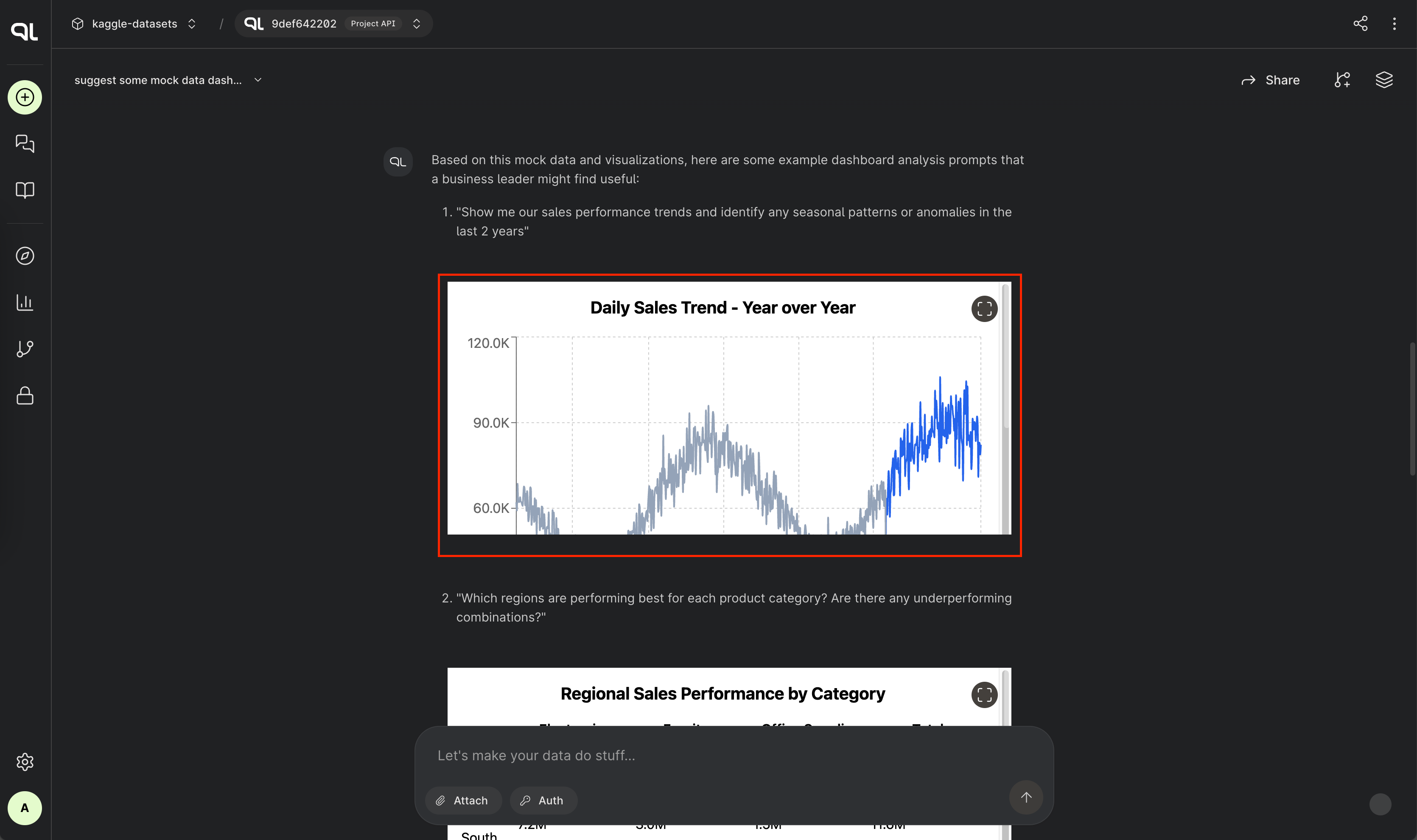
Visualization artifacts are built for more expressive output — like charts, graphs, or custom visuals. When a program
returns a visualization with HTML and data, it’s stored as a VisualizationArtifact, enabling rich visual exploration
directly in the Playground.
In the interface, the visualization is rendered from the HTML output, giving you a visual snapshot of your program’s result.
Exporting artifacts
Each artifact contains set of three options for exporting data.
Copy data
The first allows you to copy the raw data. For text artifacts, this is simply a string of text; for table artifacts, it's an array of JSON objects; and for visualization artifacts, this is the HTML of the visualization in addition to the JSON of the underlying and visualized data.
Download data
The download option is identical to the copy option, but provides a context-appropriate file type (e.g., tables are represented as CSV files).
Download artifact definition
The artifact definition option provides a JSON file for each artifact that provides additional information, such as the identifier, along with the artifact's raw data.
You can reuse artifacts via the PromptQL Playground; look for the share icon in the top-right corner of an artifact to reuse it in a new thread.